Searching for a VPN sucks. There are so many scans out there. Many claims but no real results. When I started researching this, all the Google and Brave results kept showing me the Firefox VPN for mobile. That costs like $10/month. Now, I know so many people use their mobile devices for everything, but I don’t. I know there are a lot of old heads that don’t. This is why I was interested in the free beta version of Mozilla’s free VPN for Firefox. I never used to use them but then things changed.
For a majority of my life, I have lived in California. In the San Fernando Valley, which is in the far west portion of Los Angeles County. I never had to use to VPN. Even for obtaining content that I didn’t want to pay for. However, I found some places where my provider never dinged me. Jump ahead to late 2025 when I had to move.
If you followed me during that time, I was forced to move from LA to Arizona. That is when looking for a VPN became a thing for me. Now, Arizona has a state law that prohibits anyone from accessing adult or adult adjacent content without verified identification. No way am I willingly giving away personal information to any company I don’t know.
Mozilla’s Free VPN is Only a Recent Add-On
I had signed up for Proton VPN with their $10/month option. And that was cool. Unfortunately, I had to cut it when money became an issue. I had been trying their free version, which is doable. Depending on the traffic load, it will slow down your internet. If you wanted to watch adult content, without the ability to select your location, it would put you in a state that has age verification laws. Then you are moved to somewhere in Europe.

Then I heard about Mozilla’s Free VPN beta for Firefox. I don’t want to hear that “if it’s free, you’re the product” BS. Even if you’re paying for something, they still make you the product. Many, if not most, companies will always sell your information. Especially in recent years. So, that point doesn’t work anymore and is stupid.
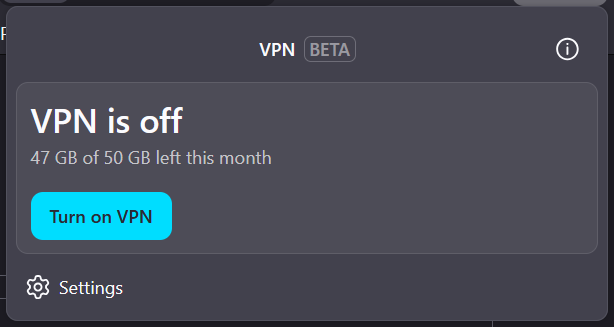
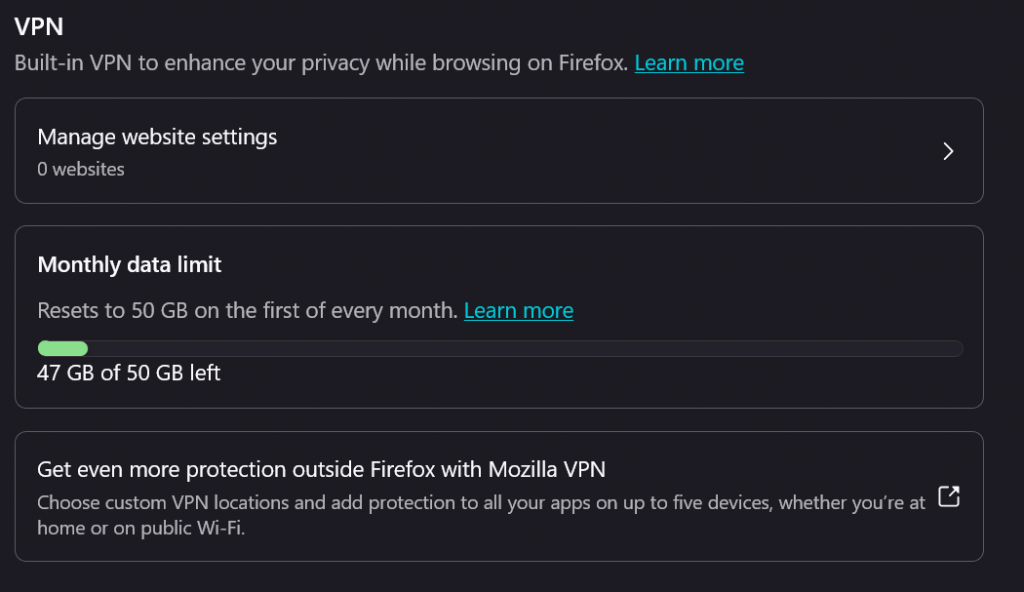
The free VPN option is voluntary and it is completely free for now. You are given 50GB a month. Even in the tool boxes, it informs you that you get a new 50GB clock at the first of every month.
You can turn it on and off whenever you visit a site that you want to use it for.
One of the upside is streaming video. While I used Proton’s free service, I would find video speed and quality leaves a lot to be desired. But then again, it’s free so you can’t really be a chooser. With that said, I found Mozilla’s version quite good. After using it for a couple of days, I found video quality superior and never stuttering in speed.
This is for Casual Users, So Stop it
Anytime something is offered free, or low price, you always get those stupid commentators. On a $300 laptop, “I can’t run Crysis 2 at full settings.” “Can’t render 4K video for YouTube.” This is for casual users. Yes, you can burn through 50GB quick in a month if you’re a power user. If you are someone like me, who only needs it for certain sites. Or, low video users, this is for you.
I’ll admit that sometimes I use it for porn. I’m a lonely guy. What do you want from me? I could spend an hour of watching videos and burn through a gig. Given I signed up halfway through a month, I don’t have a longtime before I get a new 50GB. There is indication that you can get a rollover of data. This isn’t AT&T.
Mozilla’s free VPN for Firefox beta is easy to use. It was available on Firefox 149 but I am currently on 150. By default the VPN will be placed on your browser toolbar. Just click on it, then click to turn it on. That’s it. You’re done. Now, there is no indication on how much they will charge for it when it comes out of beta. I think it will be listed as the same price that Proton VPN for $10. If they decide to charge more, they better put a helluva lot more into it. However, if you only use on a limited or casual basis, it is easy and simple to use. With that refill at the beginning of the month, there is no reason not to try it. I’ll stick with it until Mozilla gives a reason not to.
UPDATE: MAY 24, 2026 – Since I posted this review, I found a glitch in the beta. In regards to OnlyFans, the page and text load with the VPN on. However, images, audio, and video remains in a loading status. This applies to content on your feed and previously purchased content. When I switched to Proton (free version), it works just fine. For some reason Mozilla has a issue with this. If I come across any other sites that have the same issue, I will update the blog.
1 thought on “Mozilla’s Free VPN is Actually Good”